
Know your visitors
See how often your menu is visited, whether visits come from QR scans or the web, and which days are your busiest.
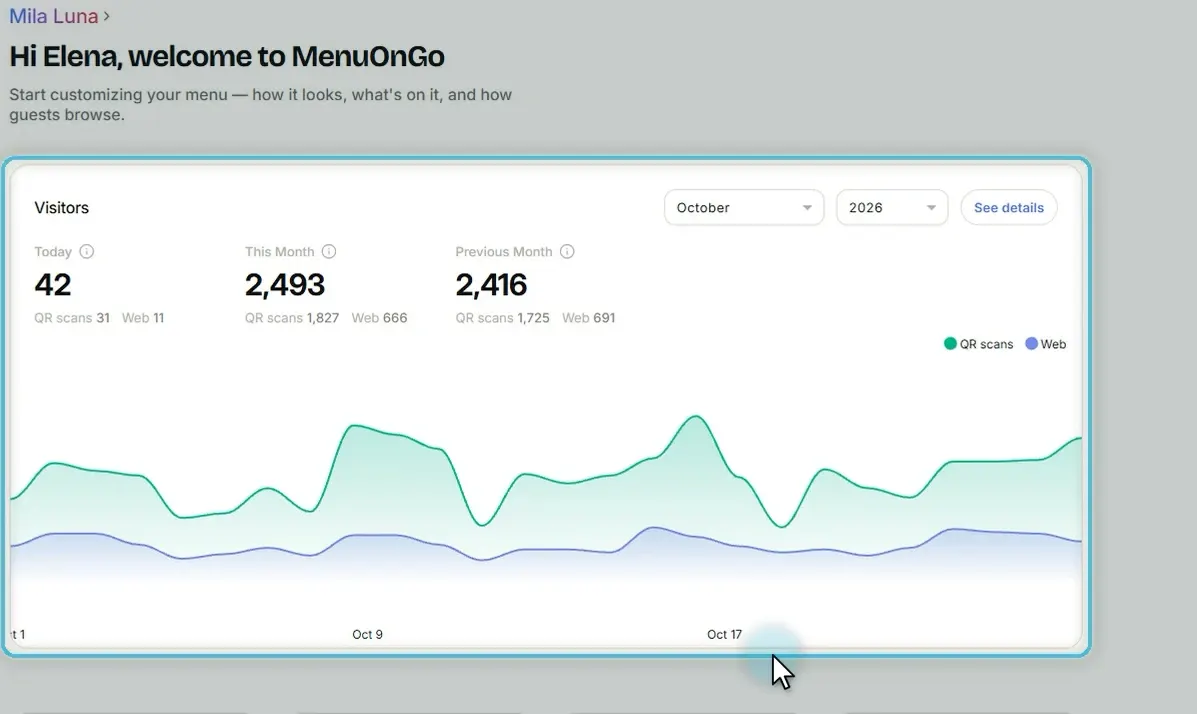
Your Welcome page shows visitors at a glance. For the full picture, open Visits.
Read the numbers
-
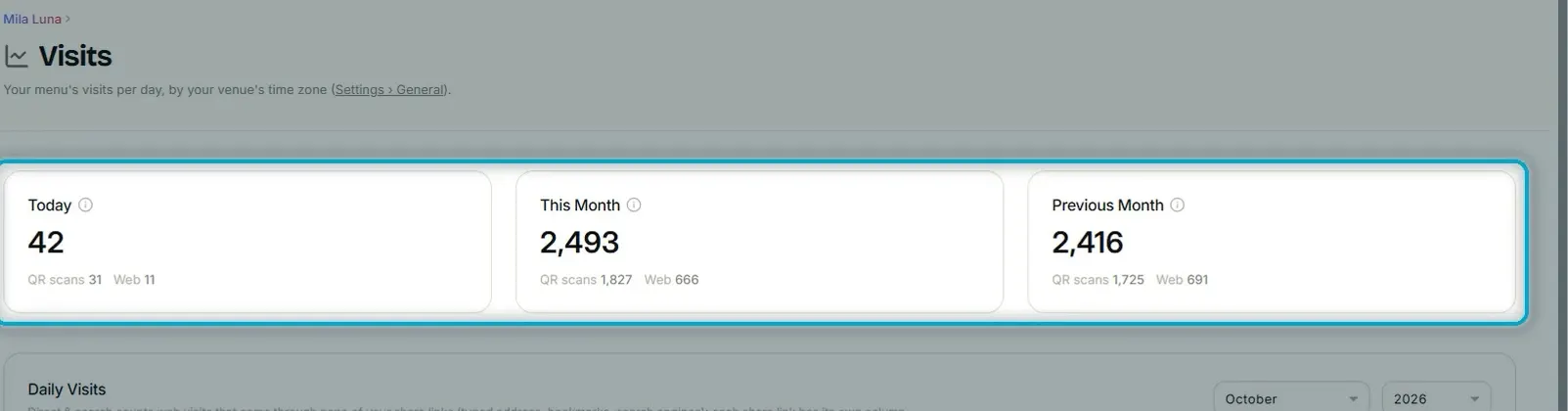
Today, this month and last month sit side by side.
-
QR scans come from your tables; Web is everyone else.
-
A phone counts once every two hours, so the numbers stay honest.
Daily visits
-
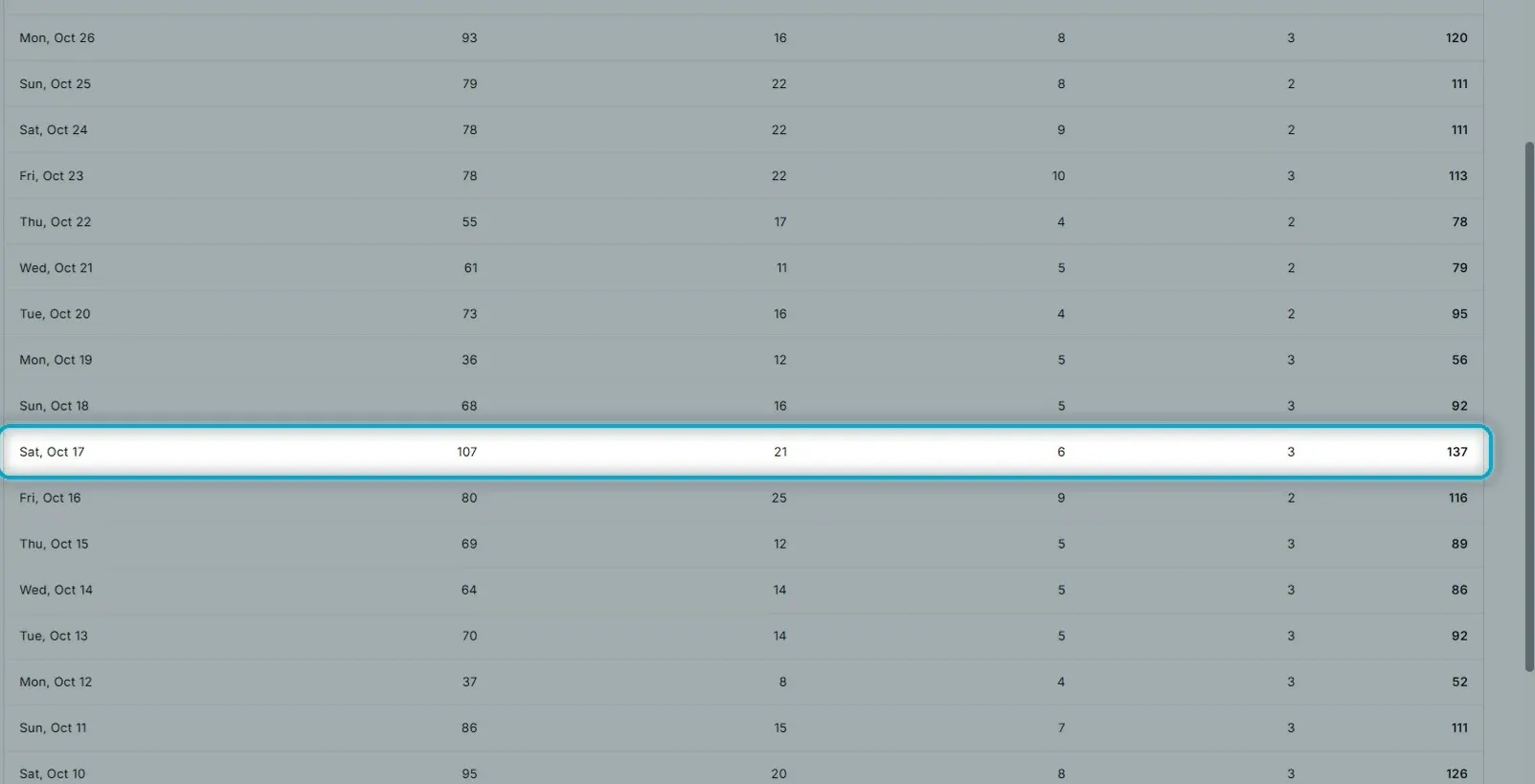
The Daily Visits table lists every day of the month.
-
Each share link has its own column, like Google Maps and Instagram.
-
The Direct & search column covers typed addresses, bookmarks and search engines.
-
Spot your busiest days; the monthly totals are at the bottom of the table.
-
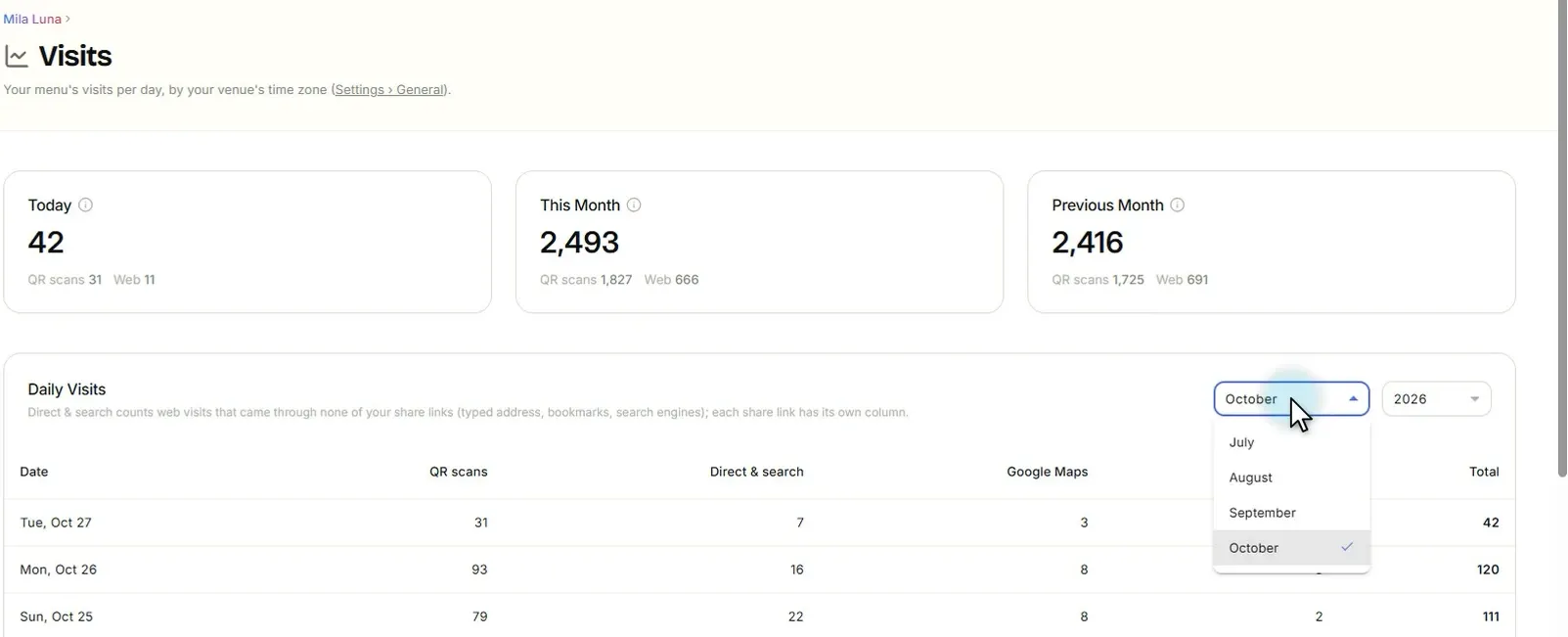
Pick any month to compare and see it day by day.
Knowing when guests come and where they find you helps you time your offers and your staffing.