
We wanted you to taste it first. Let your paper menu go digital in one swipe!
Just grab and drag, and watch your paper menu turn into the one on the phone. Then pick a language, hide a sold-out dish, switch on the allergens. The real thing is just as easy.
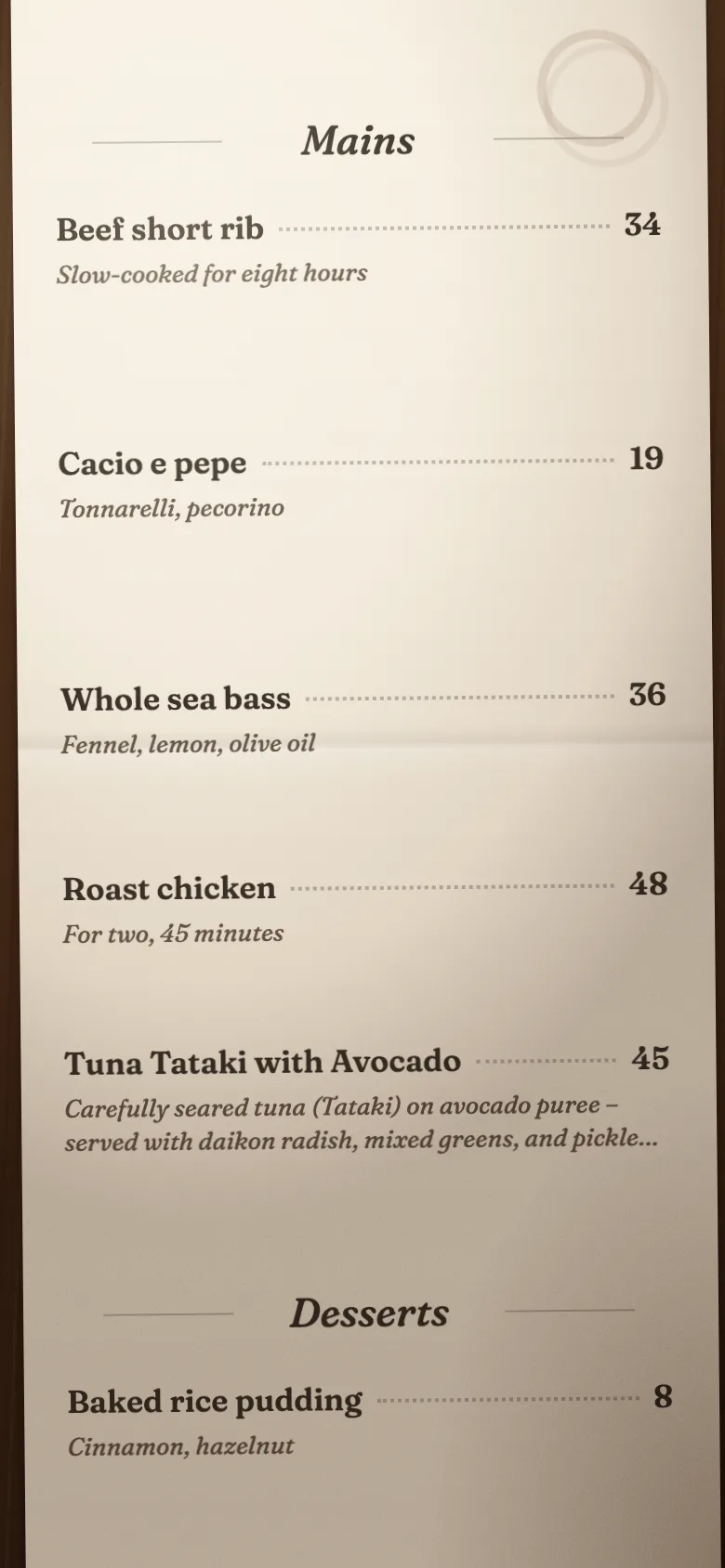
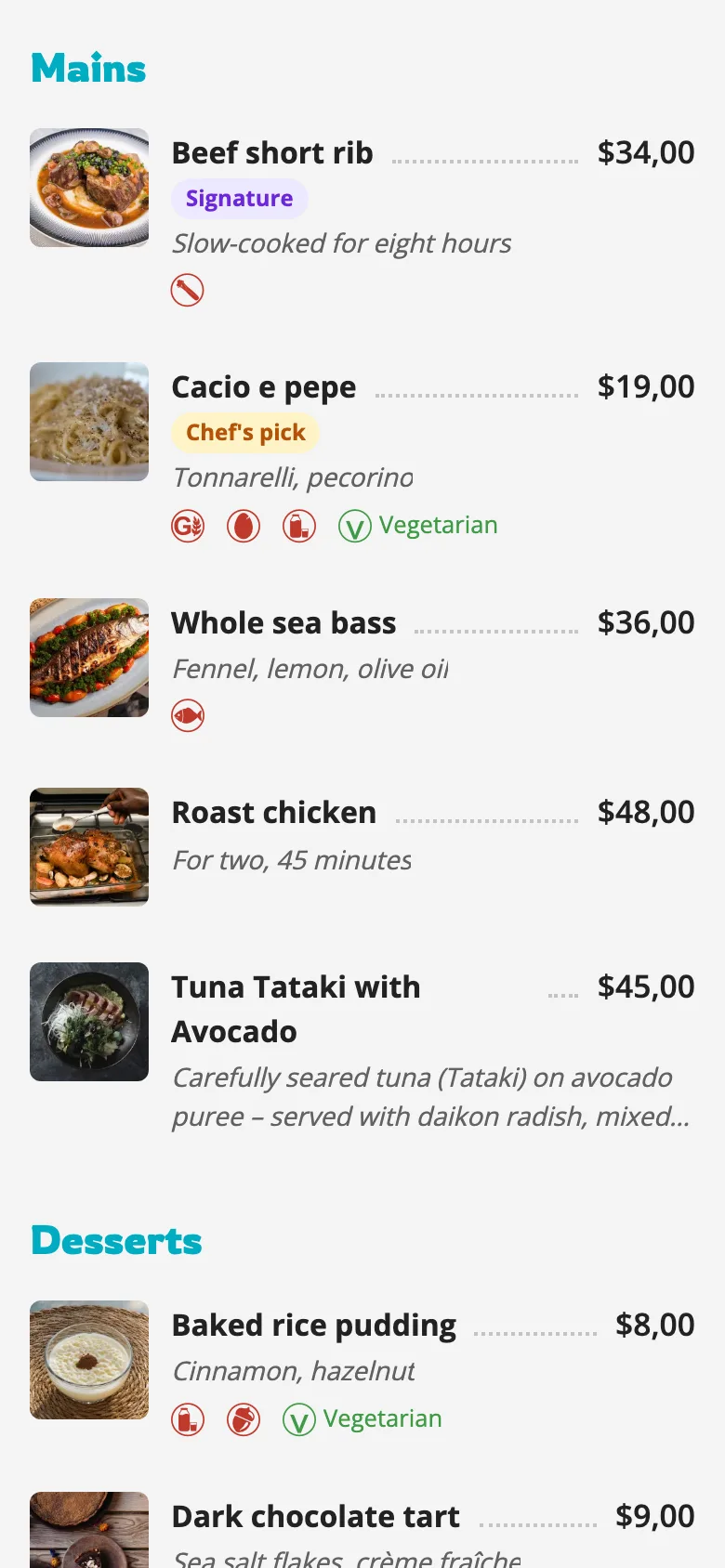
Illustrative. The real import is done by AI from a photo of your menu, in about two minutes.
Your QR menu, live in two minutes.
Three AI hires. Zero salaries.
Snap a photo of your menu — or drop the PDF, the Excel, even a screenshot. Our AI reads it and builds every category, item and price. Then it writes those descriptions you never had time for, in the style you set, and can translate it all into 230 languages in one click. You check it. You publish it. It's free to start — and it may stay free for you forever. Compare the plans.
Live in about 2 minutes · No credit card required · No payments · No commission.
Your inner voice · 5:48 pm First table's in. Nobody ran for menus, me included.
A well-shot photo gets a look. Video gets the server called over!
Some moments aren't meant to be described, only lived: an elegant signature being poured in milk foam across an espresso, the look on a face as the first bite melts in the mouth, the steam rising off the plate in its mouthwatering dance. A three-second video says more than a server's longest description, and your guest orders the masterpiece you're proud to serve instead of the dish they always get.
A plate made with joy and passion carries its feeling right through the screen. That's the secret of every campaign that works. Set up a limited-time offer in the morning, take it live by lunch, pull it whenever you like. Not with a flat poster nobody looks at twice, but with a video that carries how you feel. And it reaches your guest at the very moment of decision: menu open, table seated, nothing ordered yet Honestly, it's hard to resist.
Paper can't do this. Neither can a PDF.
Your inner voice · 5:55 pm Table 4 saw the short rib in the video and ordered it. Not a single question for the server.
86 it at 7:40. It's gone by 7:41.
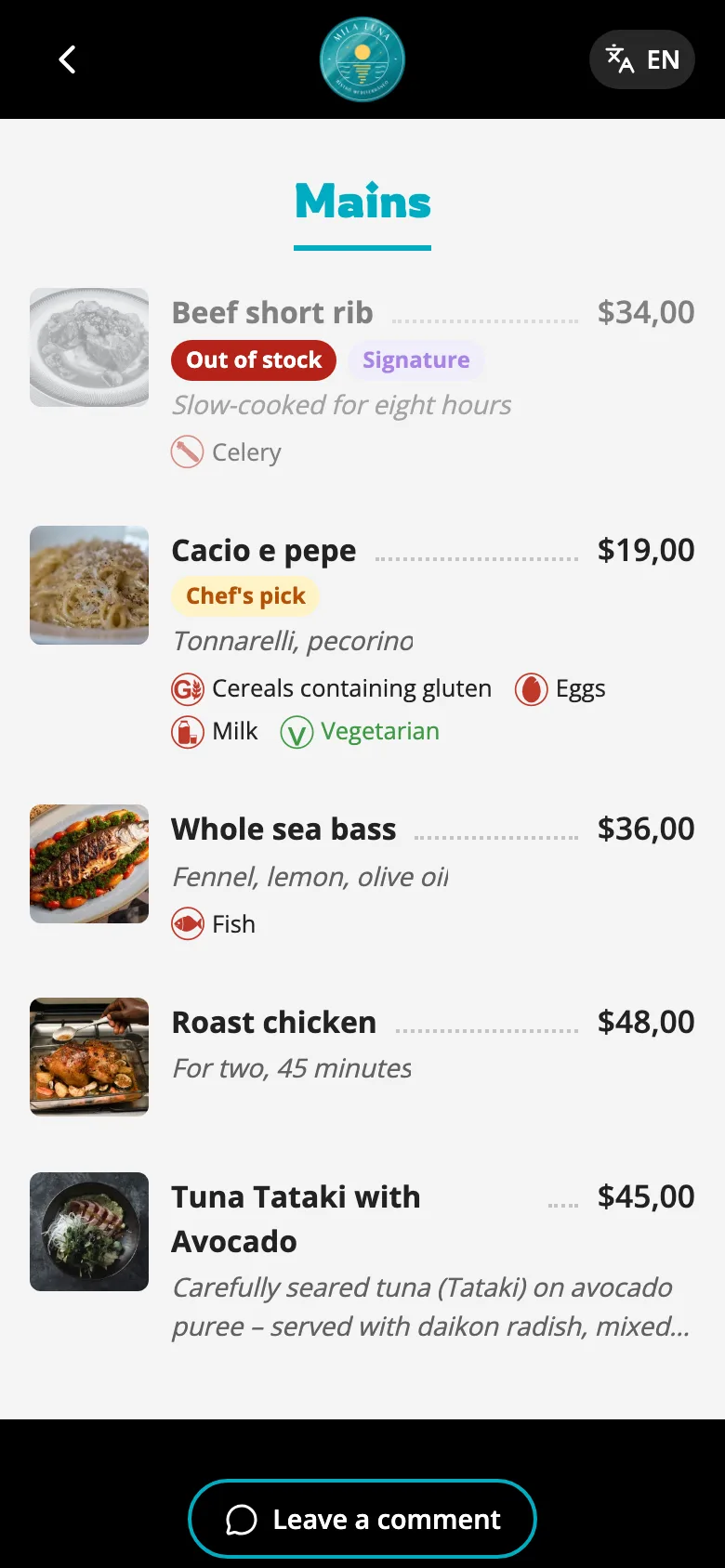
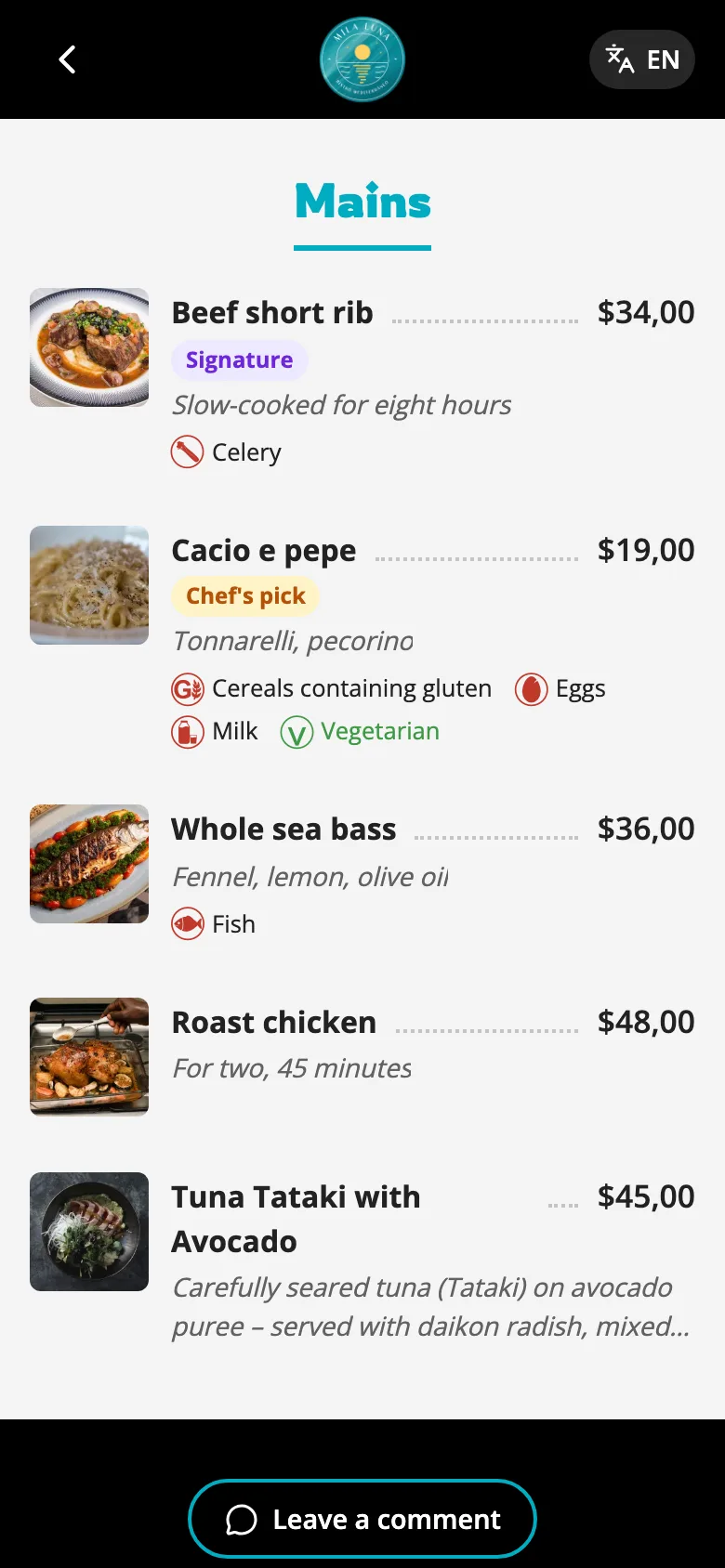
Out of short rib? Hide it in one tap. Nobody orders what you don't have, and no server walks back to a table with bad news.
Change a price once and it's right everywhere — phone menu, tablet at the host stand, and the file you send to the printer.
Your inner voice · 7:41 pm Out of short rib. Hid it from my phone and got back to service.
"Does this have dairy?" Answered — before they ask.
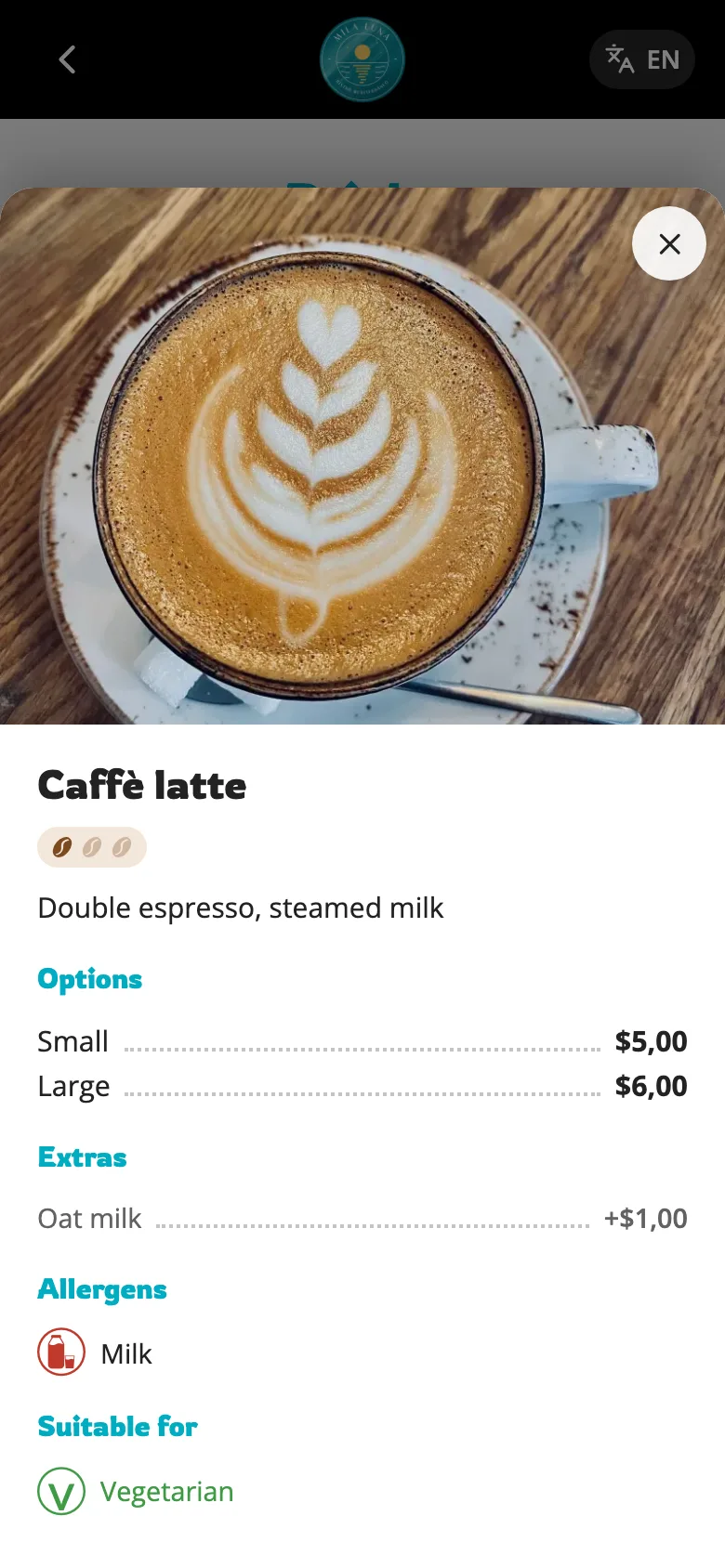
Tag an item once and your menu carries it from then on: allergens to EU labelling standards, calorie counts, ingredients, and one-tap dietary labels — vegan, vegetarian, halal, kosher.
And on Pro, the menu itself is ADA-ready — built to WCAG 2.1 AA, the accessibility standard used to judge whether a website meets the ADA, with no third-party ads to get in the way. Structured text, not a picture of text: real headings, strong contrast, and every element reachable by keyboard and readable by a screen reader. A scanned PDF is none of those things, which is exactly why the menu is the most cited target in restaurant accessibility complaints.
Overheard · 8:26 pm “Does this have dairy?” “It says right here: no milk in the allergens.”
Your menu speaks their language. You don't have to.
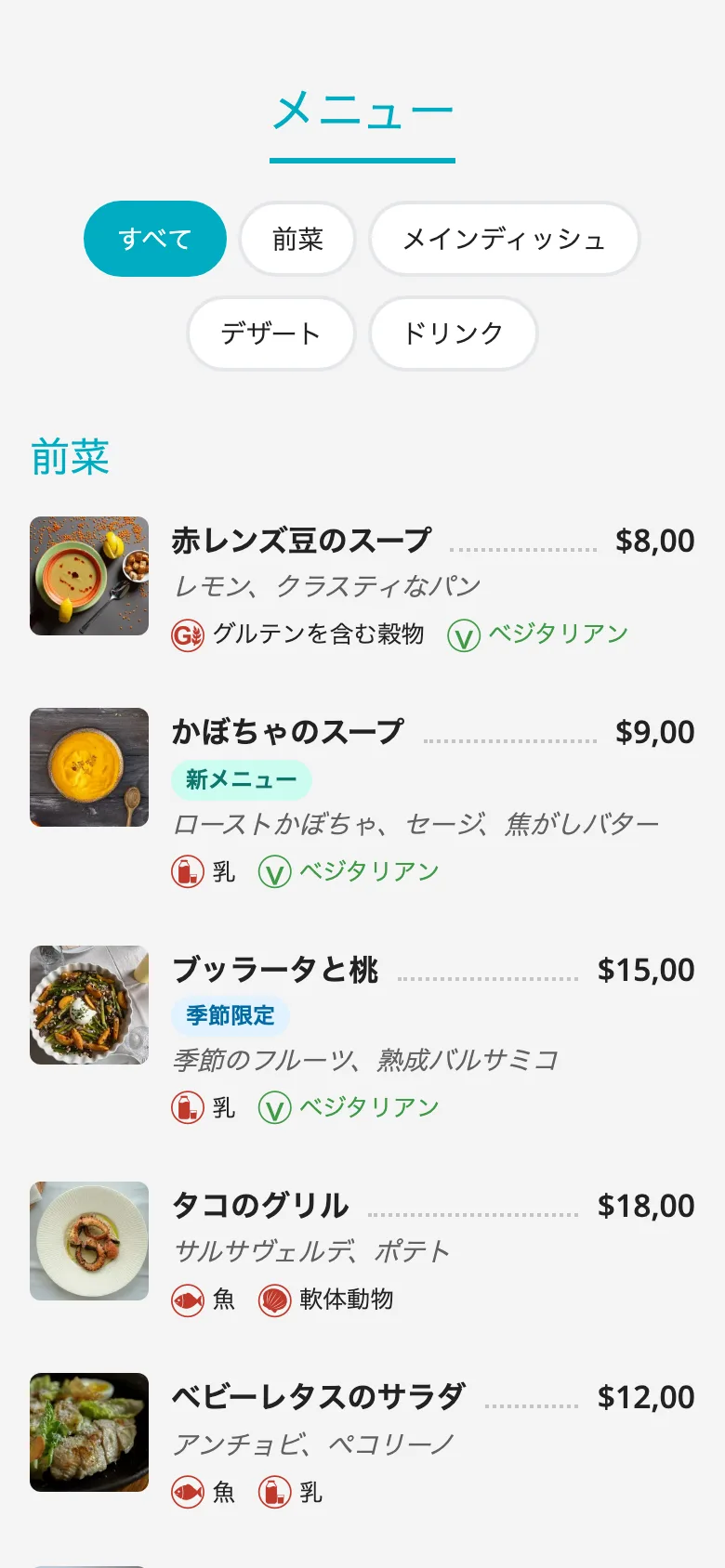
The table that can't read your menu orders the safest thing on it, or just asks for water. You lose the dish you're proud of and never find out why.
Context-aware AI translates your whole menu into any of 230 languages you choose, instantly and in one click. It knows it's reading a menu — it keeps dish names that shouldn't change and picks food words, not dictionary words. Then you check every line — after all, nobody knows your dishes better than you...
Translate into up to 10 of 230 languages. Need more? Just ask us — approved requests are free.
Through the server's eyes · 9:05 pm The tourists from the Far East turned out to be from Japan. I just smiled. Never thought it would be this easy...
Service is over. Your menu filed its report.
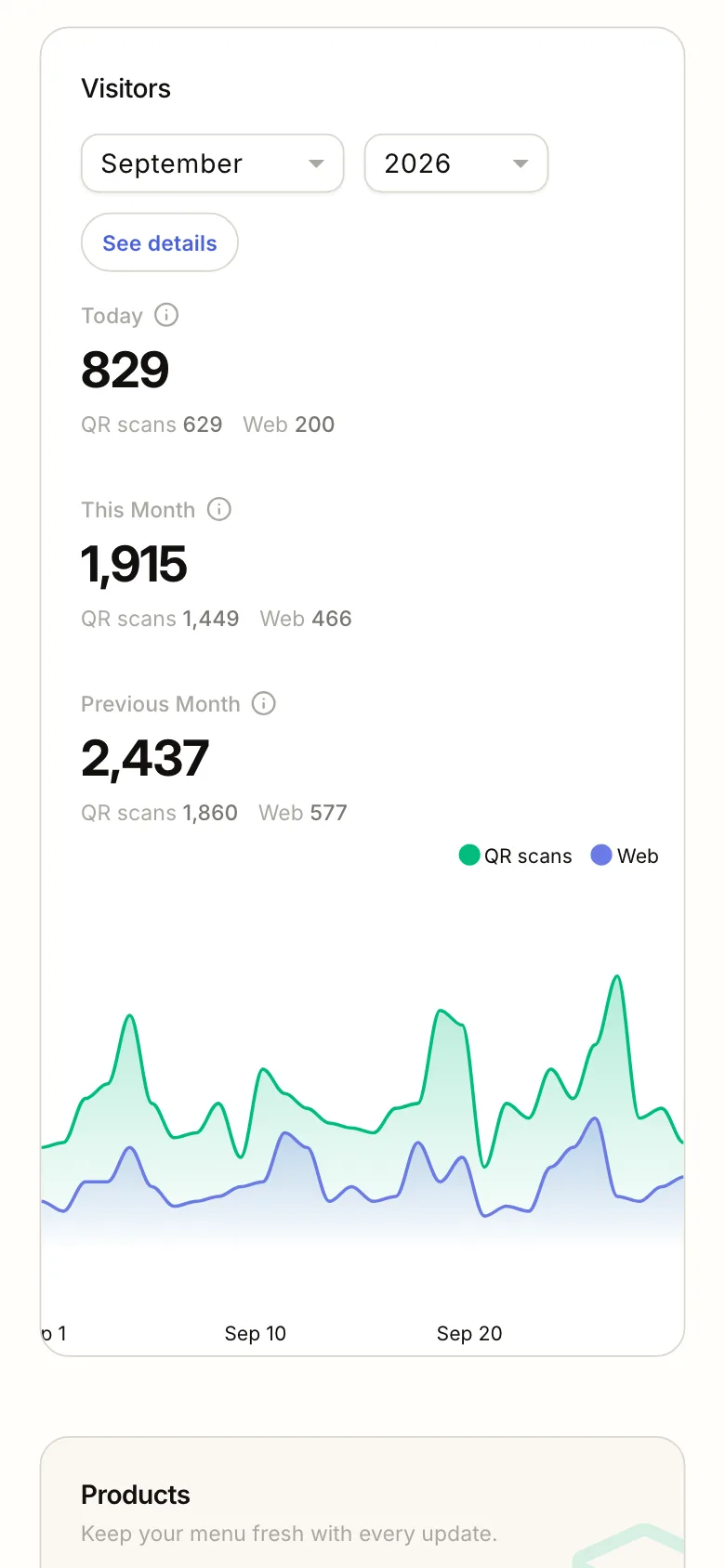
On Pro, see how often your menu was opened and where guests found it: the QR code, maps or a link. Know which door brings people in, and plan tomorrow's offer on that instead of a hunch.
The notes your tables left you are here too: about the food, the team or the concept, and for your eyes only. You hear about a slip-up before you read it in a public review, and fix it right away.
Overheard · 11:40 pm “Shall we come back for breakfast tomorrow?” “Their menu's on my phone. We can go over the prices with a magnifying glass ”
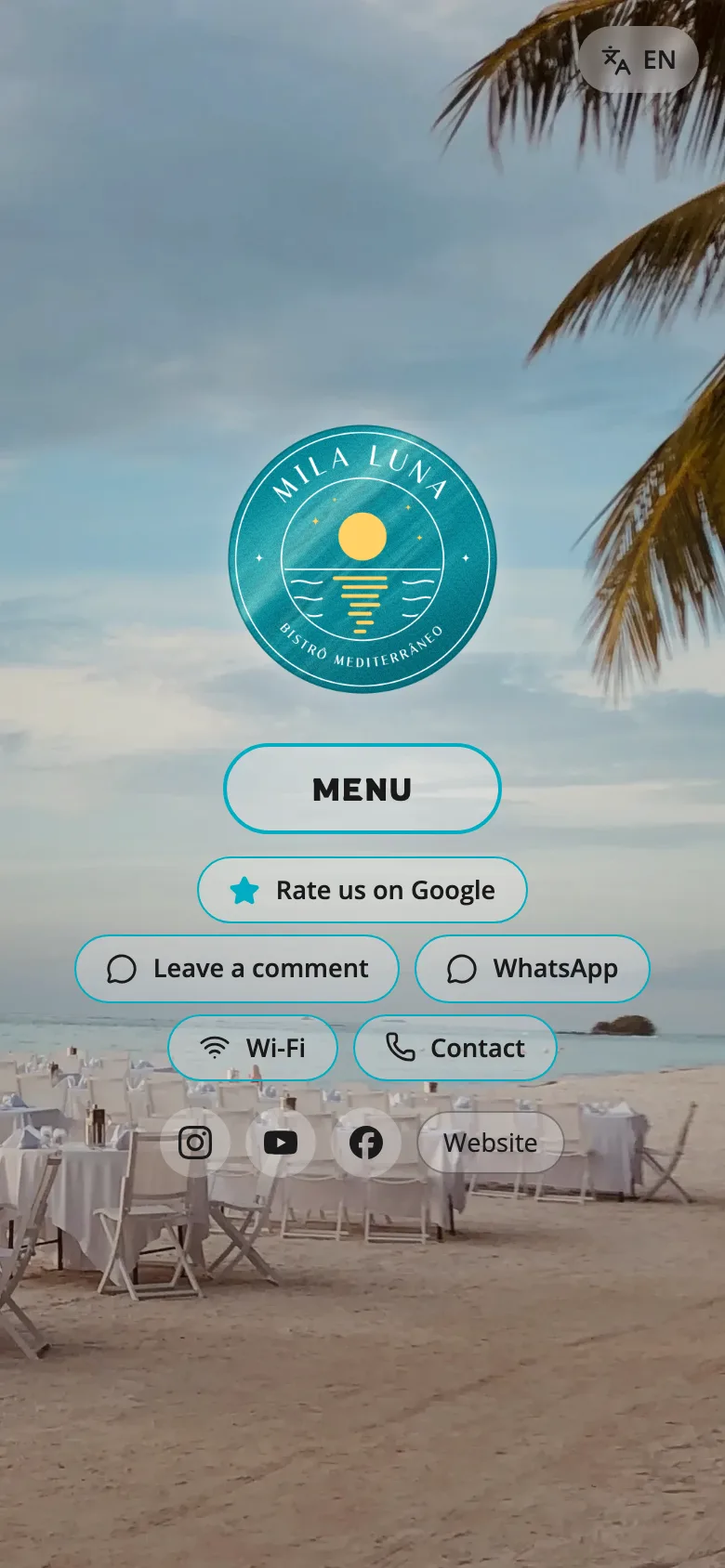
Your servers stop running. They put that energy into your guests.
Handing out menus and collecting them, “what's in this?”, the sold-out news, the allergen run to the kitchen, the translation help. The menu takes all five. Your server still takes the order, because hospitality doesn't fit in a button.
A server's Saturday night.
Every question is a trip, every trip a run. Draw one evening on the floor plan and this is what you get.
Factories call this a spaghetti diagram. Restaurants call it Saturday night.
With MenuOnGo, Saturday...
The menu's on the table, the description's in the menu, the sold-out dish is off the menu, allergens and calories are on every line, and the menu speaks the guest's own language. Your server's route gets shorter, and there's time left for the guest.
The menu takes
- Bringing and collecting menus
- “What's in this?”
- “Sorry, we're out”
- The allergen run
- Translating
Your server keeps
- A warm welcome
- Mouthwatering recommendations
- Taking the order
- Serving the plate
- Making sure guests are happy
No staff training needed. A dramatized evening; routes are illustrative.

You run the kitchen. We do the prep.
Three steps. Our AI does the tedious part in about two minutes — nothing goes out without your sign-off.
Chefs call it mise en place. You might just call it “my menu's ready.”
Mise en place means “everything in its place”: before service, every ingredient is prepped, bowled and lined up. The AI does the same for your menu: it sorts first, then puts everything right where it belongs.
Hand over the old menu
Photo, PDF, Excel, Word — whatever's in the drawer.
≈ 30 secondsAI preps it
The Smart Menu Scanner builds it and AI writes the descriptions your old menu was missing. Need a hand? Tap the chat: our AI assistant answers right away, and our team picks up anything it can't.
≈ 1–2 minutesThe chef signs off
Check it, add your photos, publish. Or go Full Service and we run the whole line for you.
Whenever you wantFor once, you're the one placing the order. We've got the kitchen.
Weekly specials, a price tweak, a new dish photo or a happy-hour campaign — send it however you like and we'll handle it. Usually within 1–2 hours, and never more than six.
Apart from hiding sold-out items with one tap, you won't even need to open the dashboard. Just text us...
Full Service includes up to 4 major menu update requests a month under our fair-use policy.
Note: So far, nobody has used up this allowance.
Bigger jobs, like a whole new seasonal menu, count as major updates and are done within 24 hours. We're here 9 am to 6 pm, seven days a week.
We place what you send: your photos, your prices and your offer, laid out in our templates. We don't film videos or design artwork from scratch.
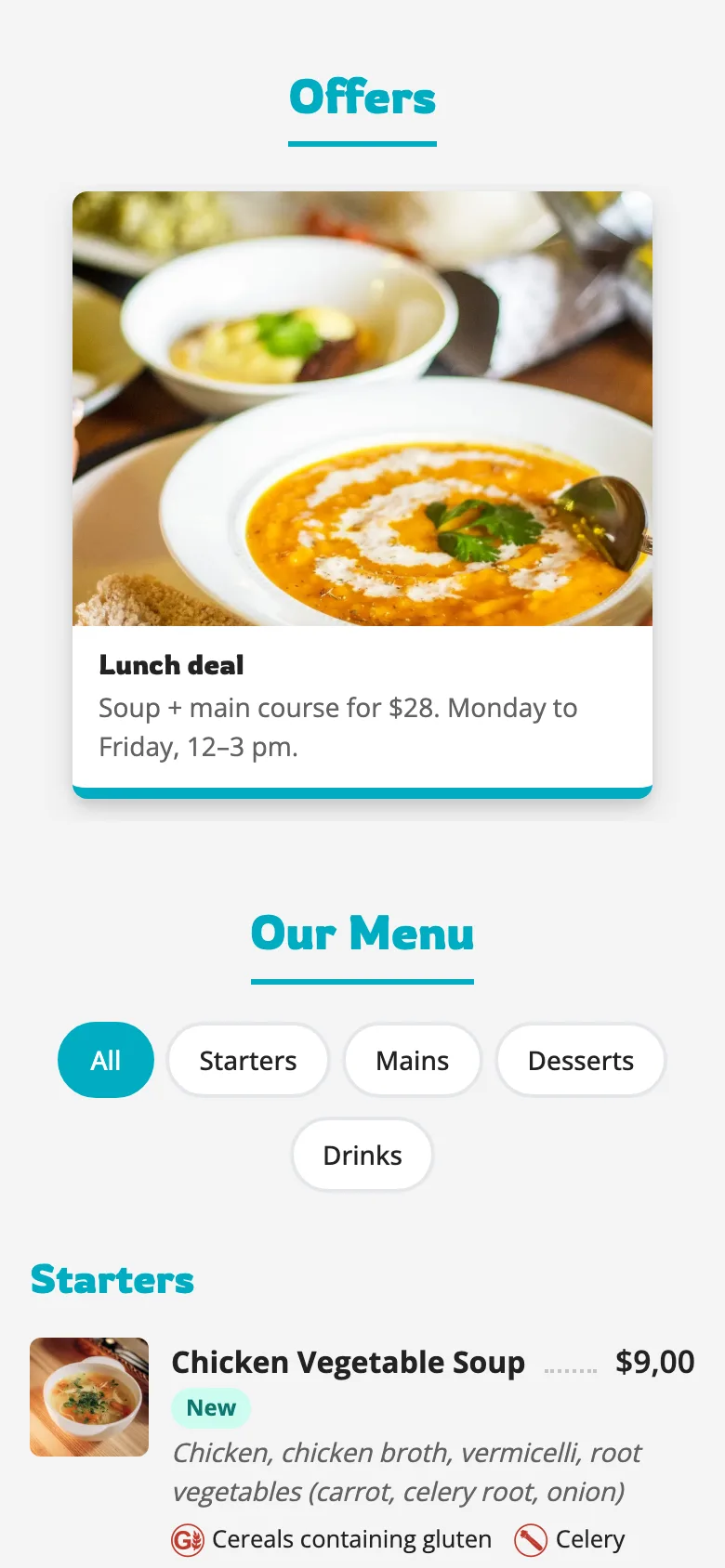
- You wrote, 1:02 pm:
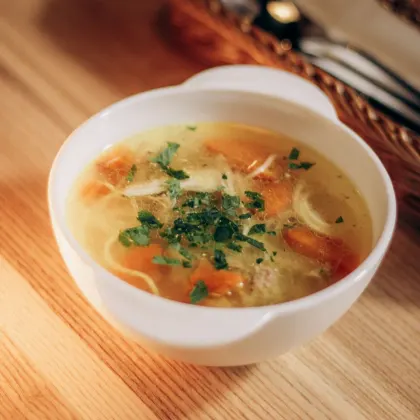
Chicken Vegetable Soup starts tomorrow, $9. Let's do a lunch deal, 12 to 3: soup + main for $28. Photo attached.
- MenuOnGo replied, 1:04 pm:
Sounds delicious! Adding the soup with a “New” tag and setting up the lunch deal for 12 to 3.
- MenuOnGo replied, 2:17 pm:
It's live! Take a look, and if you'd like anything changed, just text us.
- You wrote, 2:19 pm:
Looks great, thanks!
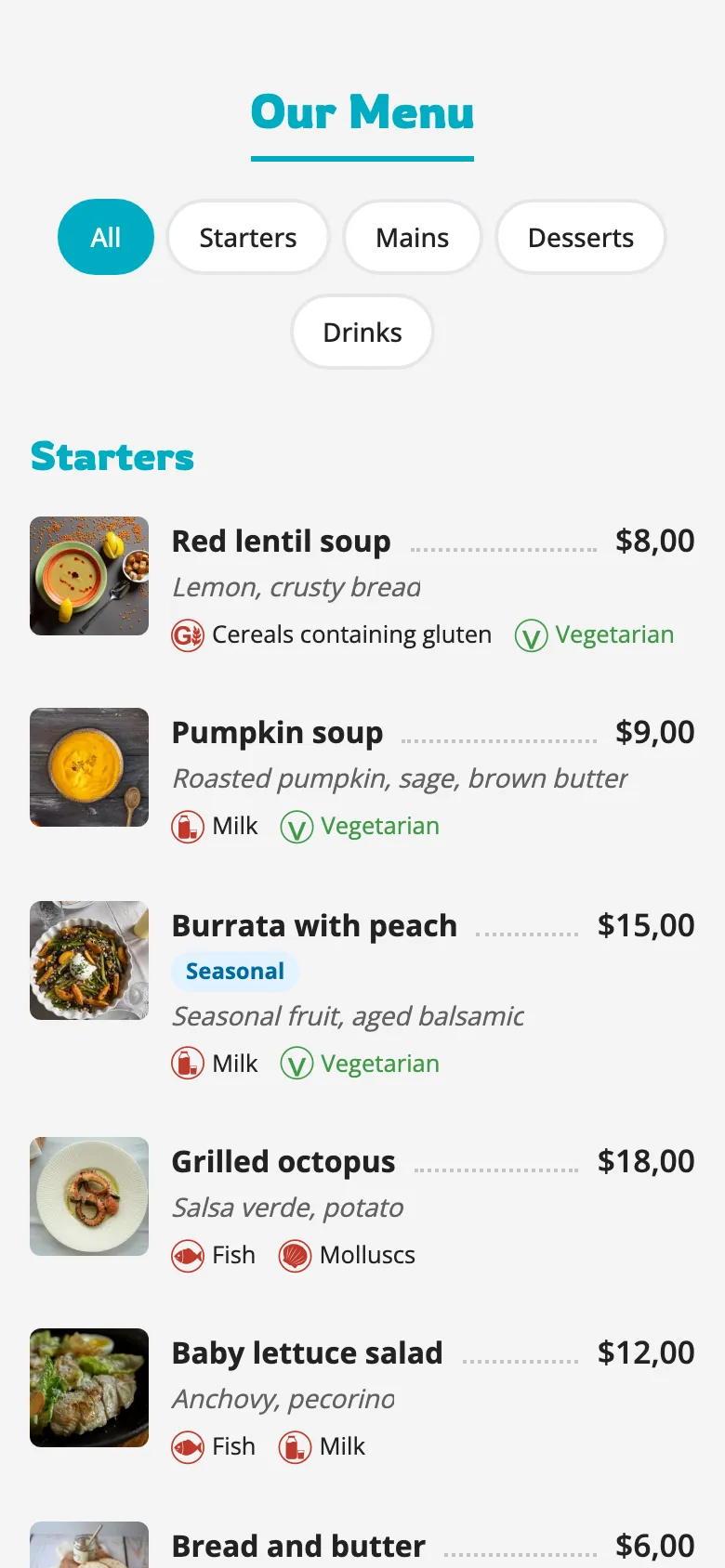
The parts that live outside the phone.
Still want paper? Print it.
Same menu, same prices, one click. Landscape, portrait, letter, legal, and more — print-ready files in the size you need, from the menu that's already correct.
We're not a print shop. We give you the file; your printer does the rest.
They choose before they walk in.
Your menu link sits on Google Search and on your Google Maps page. On Saturday morning, someone searches "brunch near me" and sees your actual menu.
A PDF opens slowly on a phone, and a photo of a menu can't be read at all — not by the guest, and not by the bots that decide which places to recommend. The same menu as on your tables, everywhere and always up to date. Even the bots can read it :)
Ask the people already running it.
Things you'll never have to do.
Tedious setup or troublesome management.
Commission on anything you sell. Not one cent.
New POS, new tablets, or hardware to buy.
Credit card to start. Thirty days, everything open.
App for your guests to download.
Staff retraining. Your team keeps working the way it already does.
Per-edit fees, setup fees, or annual update fees.
Typing your menu in. AI takes care of that.
Places where the menu changes more than the sign out front.
Coffee shops & cafés
Turn your coffee + pastry combo into a best seller with a short video right on the menu. Add the new seasonal latte before you open, and let the tourist at table four read it all in their own language.
Bagel shops & bakeries
Down to plain by 9:40? Hide it in one tap, so nobody orders what's gone.
Restaurants
Specials, dayparts, allergens, a wine list that changes weekly — without another reprint invoice.
Bars & breweries
A tap list is a living document. Post the ABV and IBU, hide a keg the second it kicks, and let a happy-hour video sell the next round.
Hotels & room service
Lobby bar, pool, room service, breakfast. Each outlet gets its own code and menu — and on Pro you run them all from one place and translate them into up to ten languages, so every guest reads the menu in their own.
Food trucks
Your menu goes where you go. One link, one code, no printer in the truck — and a price change takes ten seconds between orders.
This menu isn't just a menu!
Your menu
Your day
Your guests
Your business
Change it once. Every branch updates.
Central menu management for groups and chains: one place to run every location's menu — while each branch keeps its own QR code and its own say on what's sold out tonight.
- New dish, new price, new photo — pushed to all branches in one click
- Sold out at one branch? Mark it there, and only there
- Every location keeps its own QR code and menu — no mix-ups at the table
- On Pro and Full Service, priced per location
Most free trials are a countdown. Ours is a floor.
Your first month includes every Pro feature. AI imports your menu in minutes, and our team can do it for you if you'd rather. Nothing is held back and no card is taken.
If you decide not to upgrade, you don't lose your menu. Your account rolls over to the free plan, your QR codes keep working, and your guests keep seeing your menu. The advanced features pause. That's all that happens — we don't take your menu down.
Plenty of small places could use a hand, and many may stay on the free plan for years. We know that, and it's exactly why we built a free plan that actually does the job and never expires, instead of a demo with a countdown on it. If the day comes when it isn't enough, you'll know, and you can upgrade. Until then, nobody's going to rush you.
That said, we should be honest with you: the free plan may show non-intrusive, clearly labelled ads on your menu. But that's how we keep it running.
A free plan should work. Ours does...
No surprises at the bottom of the bill.
Try the full Pro plan free for your first 30 days. Our advanced AI imports your menu in about two minutes, or our team can do it for you if you prefer. No credit card required.
Keep your menu online and keep it working.
- First month, full Pro accessYES
- AI menu import (~2 min)YES
- Or our team imports your menu for you the same day.
- Unlimited scans, alwaysYES
- Unlimited productsYES
- Photos and product descriptionsYES
- Allergens, calories, dietsYES
- Unlimited price and menu updatesYES
- Menu on Google Search and Google MapsYES
- Delivery platform linksYES
- Customizable themes and backgroundYES
- Your logo and a review linkYES
- Wi-Fi, phone, socials and map on your menuYES
- Non-intrusive ads may appear on your menuYES
- SupportAI ASSISTANT
- Answers 24/7 in the chat. Our team handles your menu import and any billing or account question.
- Placing product photosYOU
For business owners who need many features, make frequent changes, and like to do it themselves.
- Everything in Free planYES
- Context-aware AI translation10 LANGUAGES
- More languages on request, free of charge if approved. You must always check every AI translation before it goes live.
- AI description suggestionsYES
- Multi-location: update every branch in one clickYES
- Priced per location. Each branch can still mark its own items sold out.
- Hide a sold-out item in one tapYES
- ADA-ready menu (WCAG 2.1 AA)YES
- The content you add — photos, videos, text, translations — stays your responsibility.
- Video and animationsYES
- Campaigns with videoYES
- Visitor analyticsYES
- Private guest feedbackYES
- Guests leave notes only you can see, so you have a chance to hear about a problem before it becomes a public review.
- Print-ready menu formatsYES
- Support from our teamWITHIN 1 DAY
- The AI assistant answers 24/7; a person replies in writing within one day.
- No ads, no cookie pop-ups for your guestsYES
- Placing photos & campaignsYOU
For operators with no time for a screen. You text, we handle it.
- Everything in ProYES
- Setup includes photos & campaigns — only hereYES
- Built from your own photos, prices and offers, in our templates. We don't shoot, film or design originals.
- We make your changes for youYES
- Full Service includes up to 4 major menu update requests a month under our fair-use policy.
- Priority (VIP) requestsYES
- Typical turnaround0–2 HOURS
- Send them by chat or email, and everything stays in writing. Counted in support hours: regular updates within 6 hours max, major updates within 24 hours.
- Hide a sold-out item in one tapYOU
- Because doing it yourself is easier than texting us.
The person answering you is someone who knows the job…
We're not a very large team, but we hear the questions and suggestions of people who have been running restaurants and cafés for years. We got here because of what we learned from you.
That's the whole method. You tell us what's in your way, we take it out, and the next operator never runs into it.
We're not big. We're just paying attention…
Suggestion Book
“I don't have time to retype the menu.”
DoneSmart Menu Scanner: a menu from a photo, in about two minutes.
“A table of tourists told us our menu made no sense.”
DoneNo more nonsense word-for-word translations! Context-aware AI translation: one click.
“Our servers keep having to break the sold-out news.”
DoneOne-tap sold-out.
“I change a price and Google still shows the old menu.”
DoneOne menu: the same price on the QR menu, the tablet and Google Maps.
The next line is yours.
They chose us…










Straight answers.
Okay, it all sounds easy… but how do I actually do it? Where do I start?
Honestly? You start by watching.
Every company says “it’s easy.” We’d rather show you. Our How-to videos walk you through the real screens, one task at a time: signing up, uploading your menu, adding photos, changing a price, launching a campaign. Short, clear, no tech talk.
Prefer reading? The same steps are in our step-by-step guides.
And here’s what most people don’t expect: your first step isn’t building anything. Sign up and upload the menu you already have. A PDF, a spreadsheet, even a photo of your paper menu works. Our AI turns it into your digital menu. You check it, add your photos, and you’re ready.
Stuck somewhere? Send us a message, and we’ll walk you through it.
Do I really have to type my menu items one by one?
No. Never. Snap a photo of your menu, or upload the PDF, Excel or Word file — any digital version you have. Our Smart Menu Scanner reads it and builds your digital menu, with categories, items, descriptions and prices, in about one to two minutes. You check it and publish it. Prefer not to? Our team will import your menu for you instead, the same day, on any plan.
Is the free plan really free, forever?
Yes. It isn't a trial with a countdown — it's a working menu for as long as you like. The free plan includes: unlimited products, categories and scans; AI menu import; your own photos, allergens, dietary labels (vegan, vegetarian, halal, kosher) and calories; your logo, themes and backgrounds; your Wi-Fi, phone, socials and map right on the menu; a review link; and your menu on Google Search and Maps. Free menus show non-intrusive ads. AI description suggestions, AI translation, one-tap sold-out, visitor analytics, private guest feedback, multi-location management, an ADA-ready menu, video, campaigns and print-ready files are part of Pro — and everyone gets them free for the first 30 days.
Can I manage several locations from one place?
Yes — on Pro and Full Service. Every location gets its own menu and QR code. Central menu management lets you change a dish or a price once and update every branch in one click, while each branch can still mark its own items as sold out. Pro and Full Service are priced per location. On the free plan, each location runs on its own.
Is the menu ADA compliant?
On Pro and Full Service, your menu is ADA-ready: built to WCAG 2.1 AA, the accessibility standard used to judge whether a website meets the ADA — real text instead of pictures of text, proper headings, strong default contrast, and full keyboard and screen-reader support. What you put on it is yours to keep accessible, and that's easy: keep strong contrast between text and background (dark on light works best; avoid pale grey or text over busy photos); keep text at a readable size and never put words inside an image — type them as text; describe every dish in words, not only with a photo; add captions to videos; and don't let colour alone carry meaning — write "spicy" or "vegan" instead of just colouring it red or green.
How do I print my QR code?
Download your QR code from your dashboard. A vector file (SVG or PDF) stays sharp at any size; otherwise use a large, high-resolution PNG, never a screenshot. Any local print shop, online printer or sign shop can turn it into an acrylic table stand, a laminated vinyl sticker or a window decal. Your code never changes, so you only print once. Read the step-by-step printing guide
Do I have to reprint my QR codes when I change my menu?
No. Your QR code never changes. A new price, a new dish, an offer or a new language: every change you make goes live behind the same code right away. Print it once, and the code on the table always opens your up-to-date menu. That's true on every plan, including Free.
Can we take orders or payments through the QR menu?
No — and that's deliberate. We're menu display specialists. You keep your existing POS, we keep your menu stunning. No staff retraining, no commission, no confusion at the table. If taking orders and payments at the table matters to you, we're honestly not the right tool.
Three jobs nobody wants. AI does them in minutes.
The typing, the writing and the translating used to take a weekend. Now they take a coffee break — and you still have the final say on every word.
From paper to digital, done.
Photo, PDF, Excel, Word, screenshot — whatever you have. AI reads it and rebuilds your whole menu: categories, items, prices, descriptions. No typing, no templates, no weekend lost.
Every planWords that sell the dish.
Items with no description get one — short, appetizing, in your menu's voice. Got descriptions already? Ask for fresh ones. Pick, edit or skip; nothing goes live until you approve it.
Buttermilk fried chicken, house pickles and honey-chili mayo on a toasted brioche bun.
Fluent in food.
Not word for word — menu for menu. It keeps dish names that shouldn't change and knows that "chips" in London are fries. 10 languages on Pro, one click each, and more on request. You check every line.
After the first 30 days: Pro & Full Service onlyWrite to us. We answer.
Everything in writing, so you get an answer you can keep. Our AI assistant answers in the chat at any hour; our team replies during business hours, usually within a day. Full Service requests always go first.
-
Chat · AI assistantOpen the chat Answers right away, any time. Anything it can't solve goes straight to our team.
-
Emailsupport@menuongo.com Contact us.
-
WhatsAppChat on WhatsApp +1 711-111-6344
Not on the menu. On the house...
Offers running right now. Each one is described exactly as it works — no asterisks waiting for you at checkout.
Offers can change or end. The terms in force when you buy are the ones that apply to your purchase. Full details: Promotions and Referral Terms.