
Google Business Profile Optimization for Restaurants: What Actually Moves the Needle
Here’s an uncomfortable question for most restaurant owners: when did you last look at your own Google listing the way a stranger does?
Not the dashboard. The actual profile, on a phone, at 6:40 on a Thursday, next to three other places within a mile. That’s the moment most of your new guests are won or lost, and it happens on a page you probably haven’t opened in months.
Your website matters. Your Google Business Profile matters more, because it’s where people actually are.
First, an Honest Word About Local SEO Statistics
You’ll find a lot of confident numbers about local search: near-me searches up some enormous percentage, exact conversion rates for the map pack, the precise number of photos that triples your calls.
Treat most of them carefully. Many circulate between marketing blogs without a traceable study behind them, and a good share were produced by companies selling local-search software. This article leans on Google’s own documentation and on independent research, and says so when the evidence is thin.
How Google Decides Who Shows Up
Google is unusually direct about this. Its Business Profile help documentation says local results are based mainly on three things:
- Relevance: how well your profile matches what someone searched.
- Distance: how far you are from the searcher, or from the location in the query.
- Prominence: how well known you are, which includes reviews and your presence across the web.
You can’t move your building, so distance is mostly fixed. Relevance and prominence are where the work goes, and both are built from things you control.
Reviews Are Revenue, and the Research Is Strong
The cleanest causal evidence in this whole area comes from Harvard Business School. Michael Luca’s study, Reviews, Reputation, and Revenue, paired online review ratings with Washington State restaurant revenue records and used rating-rounding thresholds to separate cause from correlation. Its findings:
- A one-star increase in rating led to a 5–9% increase in revenue.
- The effect was concentrated among independent restaurants; chain locations weren’t measurably affected.
- Chains lost market share as review coverage grew, suggesting reviews substitute for brand reputation.
The study is more than a decade old, but nothing since has replaced it as the clearest evidence. And the independent-restaurant point matters: your rating does work a national chain gets for free from its logo.
What Belongs on a Restaurant’s Profile
The practical checklist:
- Primary category, chosen precisely. “Mexican restaurant” and “Taqueria” surface differently. It’s the strongest relevance signal you control.
- Hours that are actually right, including holidays. A guest driving to a locked door writes a review that night.
- Photos, plural and recent. Food, room, exterior. We cover this in restaurant photos on Google.
- Attributes: outdoor seating, wheelchair accessible, good for groups, vegetarian options. They feed the filters people use.
- A menu link. The most neglected field on restaurant profiles; more below.
- Review responses, to good and bad alike. A stranger comparing three places is trying to judge whether anyone’s paying attention.
- Consistent facts everywhere. Google retired the public Questions & Answers section on Maps in late 2025 and replaced it with an AI-powered “Ask” feature, as PPC Land reported. You can’t type the answer to “do you have parking?” yourself anymore; Google’s AI assembles it from your listing, your website, your reviews, and your menu. Every one of those needs to say the same correct thing.
The Menu Field Is the Gap Nobody Fixes
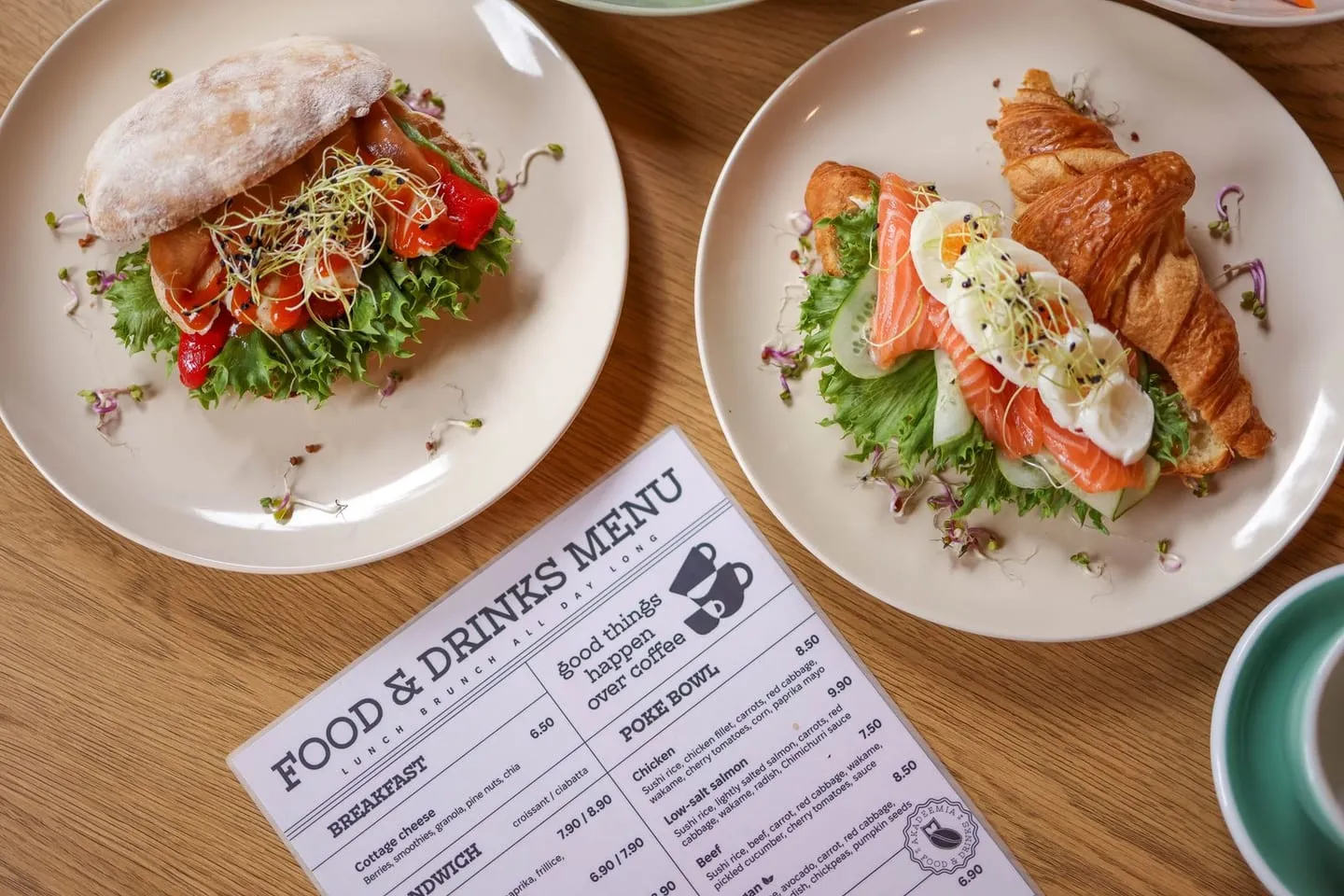
Look at what most restaurant profiles offer the person deciding where to eat tonight: no menu link at all, a PDF that opens in a viewer and needs pinch-and-zoom, or, most often, a guest’s photo of a printed menu from two price increases ago.
Each of those loses to the nearby restaurant that made it easy. And Google’s own guidance on its AI search features adds a reason: it tells site owners to keep important content available as text and to keep Business Profile details current (Google Search Central). A menu that’s a picture of a menu is neither.
This is the gap MenuOnGo was built to close, and it’s included on every plan, the free one too. Your menu has one permanent link, the same address your QR code opens. Paste it into the menu field of your Business Profile once, and the person deciding on a Tuesday night sees a fast, current, real-text menu. Because it’s the same menu your guests scan at the table, it can’t drift out of sync the way a separately maintained PDF does, and when prices change there’s nothing to update on Google.
The other thing worth setting up is a route to reviews. Every MenuOnGo menu can carry a link to your Google review page, so a guest who’s enjoying the meal is one tap from saying so. Scan your current menu in for free and you can have both on your listing before tonight’s service.
One Caution on Reviews: Ask Everyone the Same Way
Show that review link to every guest. Google’s own content policy says businesses may not “discourage or prohibit negative reviews, or selectively solicit positive reviews from customers,” a practice usually called review gating. Violations can get reviews removed. Asking everyone the same way is compliant and, given the Harvard finding, simply good business.

What to Do This Week
- Open your profile on a phone and look at it cold. Note what’s missing or wrong.
- Fix hours and categories. Highest impact, lowest effort.
- Add or replace the menu link with something current and mobile-readable.
- Upload ten good photos: food, room, exterior.
- Reply to every review from the last 90 days, starting with the negative ones.
None of it needs an agency. All of it fits in an afternoon between lunch and dinner service.
Google Business Profile: Effort vs. Impact for Restaurants
| Element | Effort | Impact | Why It Matters |
|---|---|---|---|
| Correct primary category | Low | High | Strongest relevance signal you control |
| Accurate hours, including holidays | Low | High | Wrong hours generate bad reviews directly |
| Menu link (current, real text) | Low | High | Answers the question guests check before choosing |
| Photos (recent, plural) | Medium | High | Guests judge food visually first |
| Review responses | Medium, ongoing | High | One star moved revenue 5–9% for independents in Harvard research |
| Attributes | Low | Medium | Feeds the filters guests use to narrow results |
| Consistent facts across listing, site, and menu | Low | Rising | Google’s AI “Ask” feature now answers guest questions from them |
Frequently Asked Questions
Does a Google Business Profile actually affect restaurant revenue? The clearest evidence concerns reviews. A Harvard Business School study by Michael Luca found a one-star increase in rating led to a 5–9% increase in revenue, concentrated among independent restaurants rather than chains. Reviews are a central part of a Business Profile.
How do I add a menu to my Google Business Profile? Edit your profile, open the contact or business information section, and paste a link into the menu field. Google accepts any URL, so link to a live, mobile-readable menu page rather than a PDF or image, and use a link that stays the same when your menu changes.
Can restaurants still answer questions on their Google listing? Not through the old Q&A section. Google retired public Questions & Answers on Maps in late 2025 in favor of an AI-powered “Ask” feature that builds answers from a business’s listing, website, reviews, and other information online.
Is it OK to ask only happy customers for Google reviews? No. Google’s review policy prohibits discouraging negative reviews or selectively soliciting positive ones, and violations can lead to reviews being removed. Invite every guest the same way.
How does Google decide which restaurants appear in local results? According to Google’s own documentation, mainly relevance, distance, and prominence. Distance is largely fixed; relevance comes from your category, attributes, and readable content like your menu, and prominence from reviews and your presence across the web.
Sources: Google Business Profile Help, Google Search Central, Google Maps contribution policy, Harvard Business School (Michael Luca, “Reviews, Reputation, and Revenue”), PPC Land. Images: Pexels (free to use). Data current as of October 2026.
Read it on your break. Your menu keeps working.
Thirty days of every Pro feature, menu import included, and nothing to pay.